One workspace for every
customer conversation
Conversations, a real CRM, automation, forms, e-signatures, analytics and AI — reading the same customer record, behind one login.
Twelve modules, one login
Every part of Teloring reads the same customer record. Nothing is a bolt-on, and nothing needs a second subscription.
Conversations
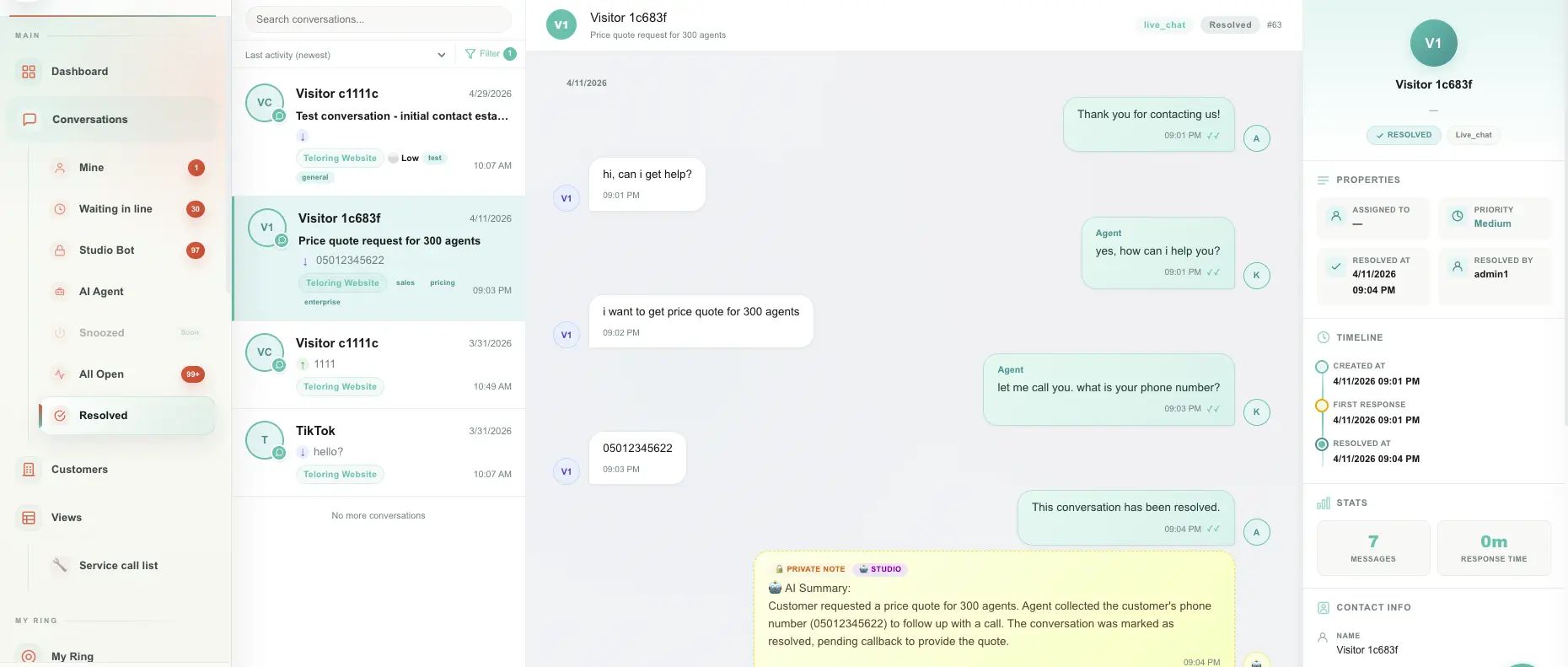
The rep workspace: queues for mine, waiting, Studio bot, AI Agent, all open and resolved. Reply, assign, label, prioritise, flag, pin, snooze and resolve — plus right-click quick actions and bulk edits.
Read the guideCustomers (CRM)
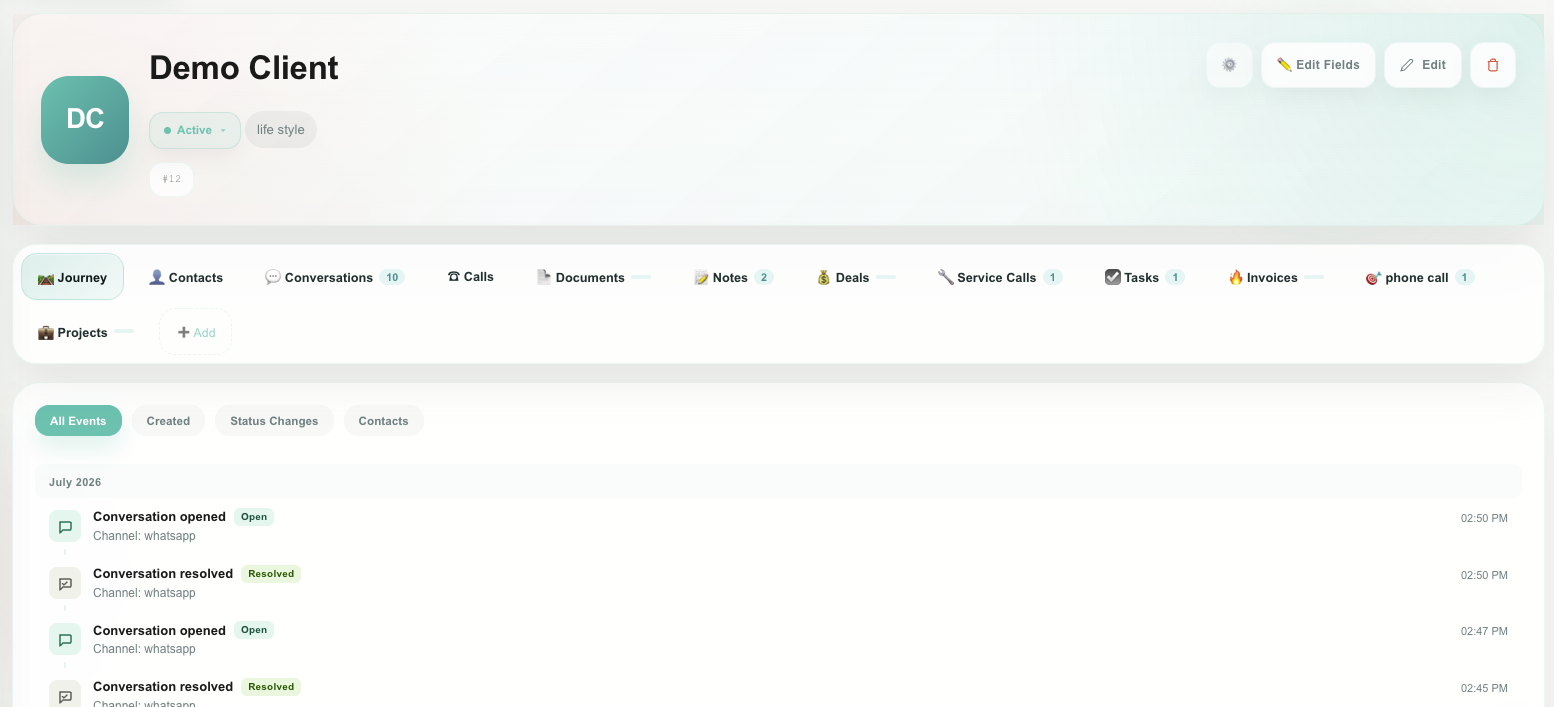
A customer record with lifecycle stages, linked contacts, journey history, conversations, calls, documents and custom objects. Design the fields yourself with a drag-and-drop editor.
Read the guideViews
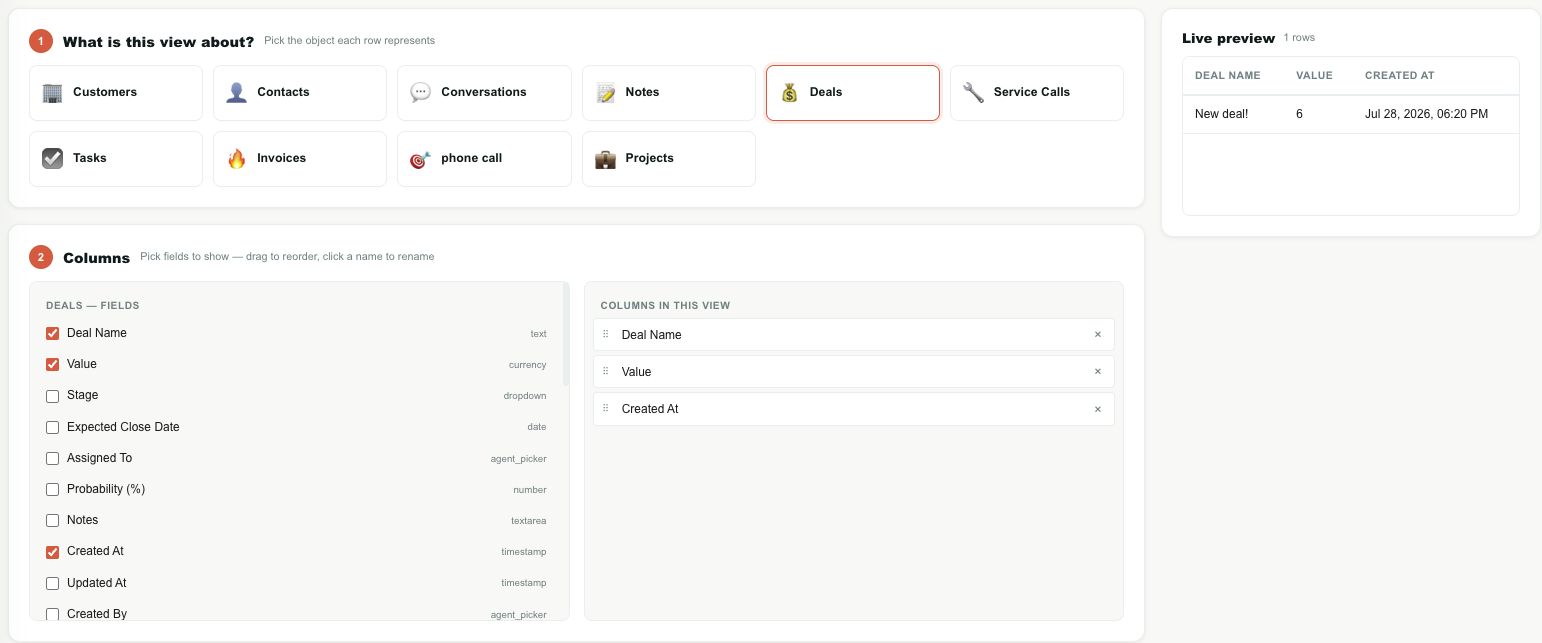
Saved tables over any object: pick the base record, add columns — including columns pulled from its customer — filter with AND/OR, compare field to field, sort, share, pin and export.
Read the guideMy Ring
The channel page. Each channel type is an arc on a ring; click it to add an inbox. Several inboxes per type, each with its own name, status and settings.
Read the guideAI World
One page of switches for every AI capability. Off by default, admin-controlled, account-wide, and saved the moment you flip them.
Read the guideAI Agents
Autonomous conversation profiles you configure across eight tabs: identity, writing voice, knowledge grounding, rules, the data it must collect, what to do on success or failure, and working hours.
Read the guideKnowledge Base
Upload PDFs, Word, Excel, CSV, text and images, or point Teloring at a web page and crawl it. Ask a question in plain language and get an answer built only from your content, with a reference.
Read the guideStudio
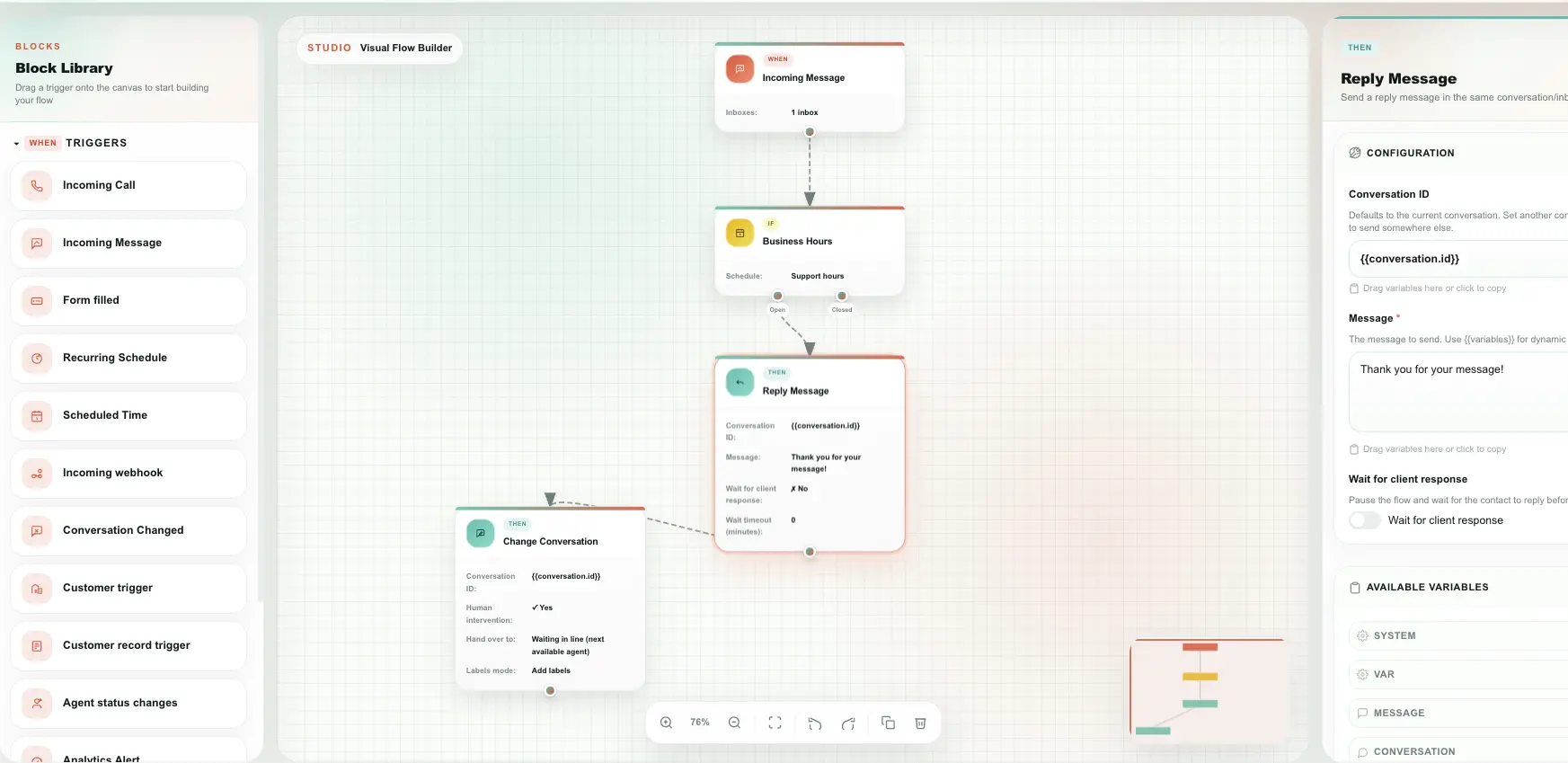
Visual automation. Triggers on incoming messages, conversation and CRM changes, rep presence, intervals, schedules and inbound webhooks — then replies, notes, assignments, CRM writes, HTTP calls and sandboxed code.
Read the guideForms
Build a public form, publish the link, and collect structured answers. Versioned, snapshot submissions, hidden fields, and a Studio trigger on every completion.
Read the guideDocuments Signature
Upload a PDF, drop signature, initial, text, date, number, phone and checkbox fields on it, send a signing link, and get back a stamped document with a SHA-256 hash and signer audit trail.
Read the guideAnalytics
Dashboards with tabs and a free-form canvas. Each card is a recipe over live data — number, chart, gauge or table — with its own filters, design and raw-row export.
Read the guideFiles Warehouse
The account-wide inventory of every stored file: customer attachments, sent media, call recordings, signed documents, Studio voice prompts and form images, with totals, filters and conversation links.
Read the guideEvery message. One queue.
WhatsApp, email, SMS, phone calls, website chat, Instagram, Messenger, Telegram, LINE, TikTok — one workspace with three panels: the queue, the conversation, and everything you know about the customer.
- Queues for mine, waiting in line, Studio bot, AI Agent, all open and resolved
- Filter by channel type, inbox name, labels, priority, flag and time period
- Rich media, threaded email view, private notes, quick replies and bulk actions
- Right-click any conversation for assign, priority, labels, flag, pin and resolve
A CRM that lives next to the chat
A customer is the record for the relationship — a business, a household, a person. Around it sit the contacts who write to you, their conversations, their calls, their signed documents, and any object your business actually needs.
- Lifecycle stages, journey history and an assigned account owner
- Custom objects — deals, tasks, service calls, assets, subscriptions — designed by you
- Drag-and-drop field editor for contacts and customers
- Link, relink or create the customer straight from the conversation sidebar
Ask your data a question, save the answer
Normally a note or a deal is trapped inside one customer. A View lifts it out: choose the record each row represents, add columns — including columns pulled from its customer — filter, sort, and save it with a name.
- Combine conditions with AND / OR, nested two levels deep
- Compare a field to another field — deals created on the customer's renewal date
- Ask about the customer's other records — "has at least one signed document", "has no tasks"
- Personal or shared, pin five to the sidebar, export the full result to Excel or PDF
Automate the part nobody wants to do
Studio is a visual flow builder: blocks on a canvas, connected. It answers first messages, routes by business hours, chases follow-ups, writes to the CRM, and calls your other systems.
- Triggers: incoming message, conversation change, customer or record change, rep presence, interval, schedule, inbound webhook
- Actions: reply, private note, conversation update, contact and CRM writes, HTTP request, sandboxed code, date maths, variables
- Wait-for-reply steps turn a flow into a bot, and end-session hands back to a human
- Forms collect structured answers on a public link and fire a Studio trigger on every submission
Send it, sign it, keep the proof
Upload a PDF, drop the fields where they belong, and send a signing link over any channel you already use. The customer signs in the browser — no account, no app.
- Signature, initials, text, date, number, phone, email and checkbox fields
- Auto-fill fields from the customer, contact or a custom object record
- Signed PDF stamped with your own logo, a SHA-256 hash and the signer's audit trail
- Send finished documents to customers through your own WhatsApp templates
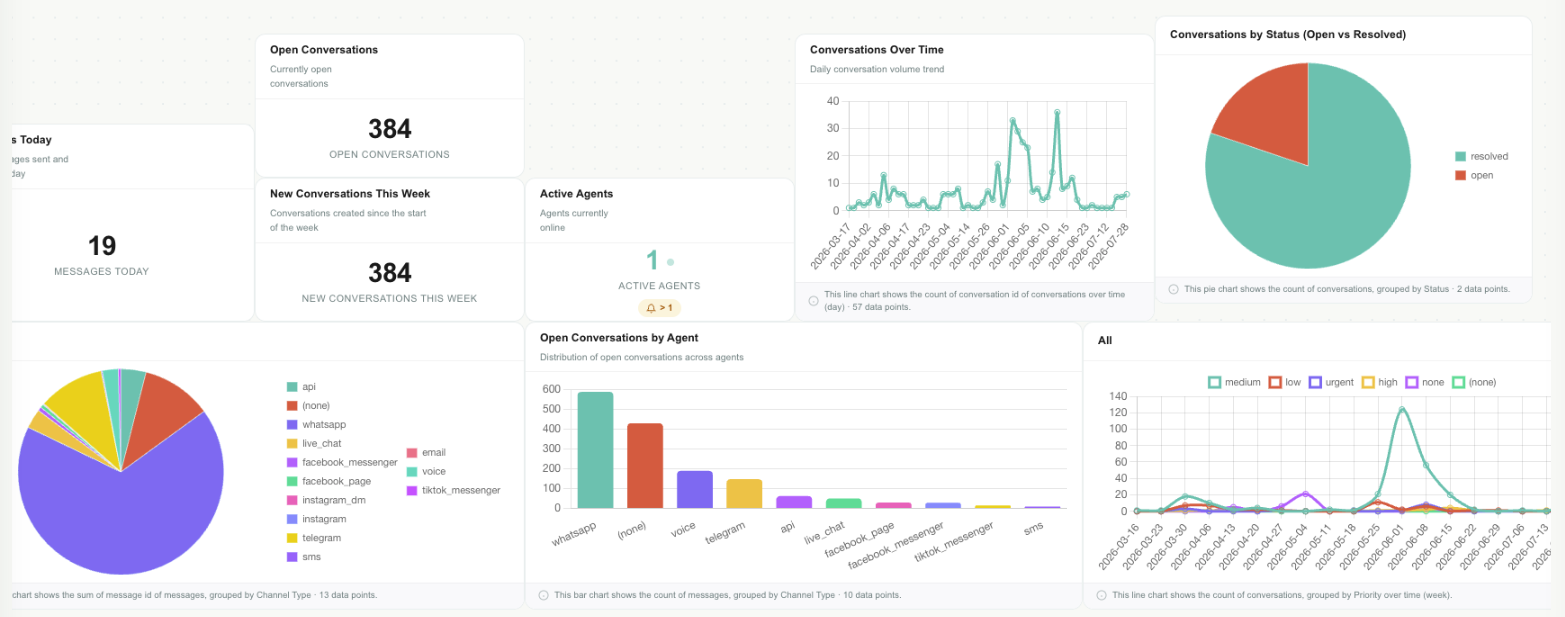
Reports you build, on live data
Every report is a recipe: pick a source, choose what to measure, group it, filter it, and choose how to show it. Teloring runs it against live data — a report is never a stale snapshot.
- Sources across conversations, messages, contacts, reps, customers, custom objects, forms and e-signatures
- Numbers, charts, gauges and tables on a free-form canvas, arranged in tabs
- View the raw rows behind any card and export them to Excel or PDF
- Describe the report in plain language and let AI fill in the builder
Your team, in sync
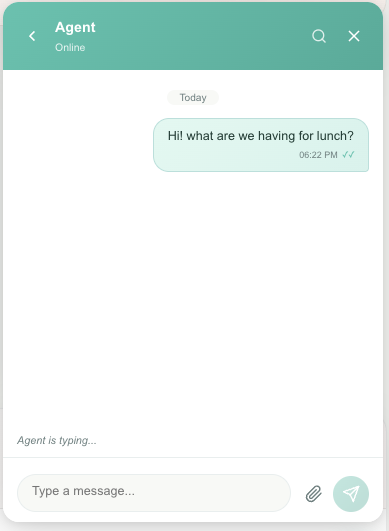
Native WebSockets, not polling. See who's online, who's typing, and where every message got to — and talk to each other in an internal chat that never touches the customer.
- Live rep presence and typing indicators across every channel
- Internal rep-to-rep chat with file attachments and search
- Delivery status on every message: sent, delivered, read
- Achievements reward the team milestones along the way — in free credits
Built for security. Designed to scale.
From a two-person team to a contact centre. Roles, 2FA, audit logs, API keys and complete account isolation.
Roles & access
Admin, Agent and Supervisor roles. Admins configure the account; reps do the work. Invitations expire in an hour and password resets in seven days.
Two-factor authentication
Per-rep or enforced account-wide. Codes are emailed, expire in five minutes, are stored only as a hash, and are rate-limited against brute force.
Complete audit trail
Every action logged with a timestamp and an actor. Searchable, filterable and exportable when compliance asks.
Developer API
REST API with JWT sessions and per-rep personal API keys. Webhooks for real-time events, an API channel for custom messaging, and inbound webhooks that start Studio flows.
Account isolation
One account can never read another's data — conversations, files, knowledge bases or reports. Sessions are encrypted, credentials are encrypted at rest, and every request carries security headers.
99.9% uptime
Auto-scaling services on Google Cloud Run with Redis caching and connection pooling, built for millions of messages.
See Teloring on your own data
Start free, connect a channel, and judge it with real conversations.